A Watchlist Works Best When It Has a Next Step
A watchlist next step turns saved films and shows into clear starting points, helping you choose by mood, company, format, and what you can do next.
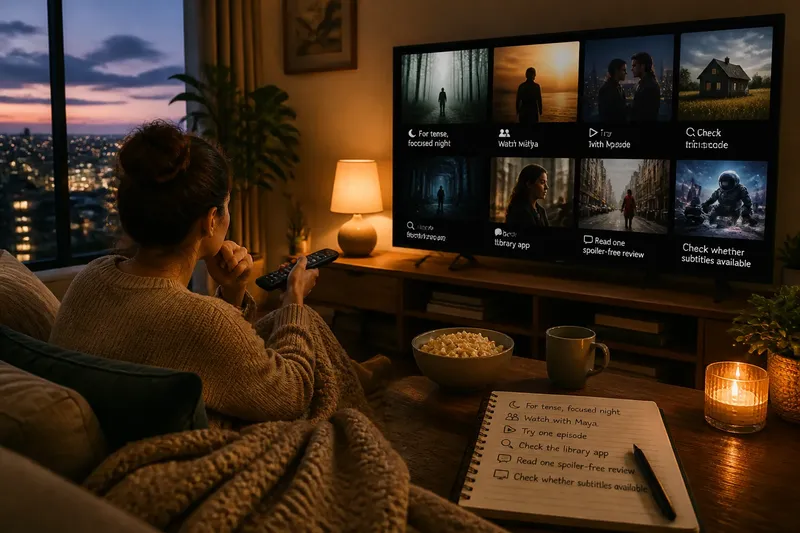
Which saved title should you actually start tonight? A watchlist next step makes that choice easier by attaching a small, useful cue to each film or show: not just what it is, but what you might do with it. Instead of scanning a crowded list for a feeling you cannot quite name, you can look for a title that fits the evening in front of you.
From saving to starting
A watchlist remembers titles but often loses the reason you saved them. A film may have caught your eye because a friend mentioned its setting, because you wanted something light, or because you hoped to watch it with someone. Later, the title becomes one more item competing for attention.
A next-action cue is a brief prompt that points toward an actual viewing decision. It could say “save for a quiet evening,” “watch with Maya,” “check whether it streams,” or “try the first episode after dinner.” The cue does not need to settle every question. It needs to make the next move clearer than the title alone does.
Think of the cue as a tab on a folder. The folder holds the material; the tab tells you where to reach first. A useful tab is short enough to scan and specific enough to distinguish one choice from another.
Choose a useful cue
Good cues describe an action or viewing condition rather than repeating information already visible in the title or synopsis. “Interesting” and “maybe someday” preserve indecision. “Check runtime before inviting Dad” gives you a task and a reason for it.
Common cue types include:
- Mood: “Save for a tense, focused night” points to a viewing condition; if that mood is not what you want, choose another title rather than forcing the fit.
- Company: “Watch with my sister” names a person; if she is unavailable, ask her about another time or remove the company dependency.
- Format: “Try one episode” sets a small starting action; if you do not want a series tonight, choose a film instead.
- Availability: “Check the library app” names a lookup; if the title is not listed, check another service you already use or leave it saved.
- Decision: “Read one spoiler-free review” identifies unresolved information; if the review does not help, decide from the title and your current mood.
- Viewing setup: “Check whether subtitles are available” names a practical check; if they are not, choose a title that suits the screen and setup you have.
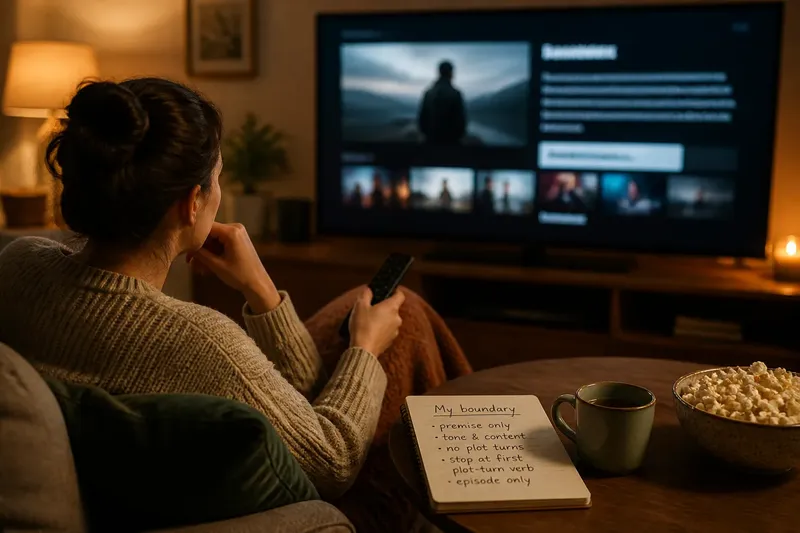
Keep each cue tied to one next move. If a note contains a mood, a platform search, a reminder to ask a friend, and a judgment about the ending, it has become another list to interpret. One clear verb—watch, check, ask, compare, or sample—usually gives the title enough direction.
Fit the cue to tonight
A title can be appealing in general and still be wrong for a particular evening. Your attention, company, screen, and available time shape what “a good choice” means. A cue preserves that context without turning the watchlist into a schedule you must obey.
Say you saved a three-part mystery after a friend described its setting. You note, “Ask Leo if he wants a slow mystery this weekend.” When the weekend arrives, you ask Leo and decide together. If he is unavailable, you can leave the title saved or choose something else; the note has made the next action clear without claiming the show belongs on tonight’s schedule.
For a solo evening, “sample the first episode when I can focus” may be more useful than “watch soon.” For a shared screen, “check whether subtitles are available” names a practical consideration without making a promise about the experience. A cue should invite a choice, not pressure you into completing the list.
Keep the system light
You can add cues in the notes field of a streaming app, in a phone reminder, or beside titles in a paper notebook. Use the tool you already check. Moving every saved title into a new system may create more maintenance than clarity.
If the app has no notes field, a small set of labels can still help: “solo,” “together,” “short session,” or “check access.” Labels work best when they point to different decisions. A long vocabulary of subtle categories can slow down the scan you wanted to make easier.
Keep the cue close to the title. If you must open several screens to find why you saved something, the reminder is unlikely to help at the moment of choice. For a title saved in multiple places, keep one version as the main one or use the same short cue in each location.
Review without guilt
A watchlist is a record of curiosity, not a queue of obligations. Some interests pass; others wait until the right company or mood appears. When you revisit the list, ask whether each cue still describes a real next action.
You might change “watch with Priya” to “ask Priya if she still wants to see this,” or remove a note that depends on an event that has passed. If a title no longer interests you, deleting it is a useful decision, not a failure to keep up. The point is to make the remaining choices easier to approach.
Avoid turning the review into a second ranking exercise. You do not need to decide which title is best in the abstract. You only need to notice which cue fits the present situation and whether its next move is still possible.
When does a watchlist cue help?
What should I write beside a saved title?
Write the next action in plain language: “check the library,” “ask Sam,” or “try one episode.” If the title needs no research or coordination, a viewing condition such as “for a quiet night” may be enough.
Should every title have a next step?
No. Add cues to titles that are hard to choose, depend on company, or require a small check first. A title you remember clearly can stay on the list without extra handling.
What if the streaming service changes?
Use “check availability” rather than recording a platform as permanent fact. When you are ready to watch, confirm the current listing in the service or library catalog you use.
How often should I revisit my watchlist?
Revisit it when the list stops helping you choose or when your viewing circumstances change. A brief pass that removes stale cues is more useful than a rigid review routine you do not want to maintain.
Make choice easier
The best watchlist next step is modest: it preserves a reason, names a small action, and leaves room for your plans to change. Add one cue when a title feels difficult to place, then let the next evening supply the rest of the decision. The list becomes less like a shelf of unfinished intentions and more like a set of doors you can open when the moment fits.